
Please read these entire instructions:
Pastor’s private, members only teachings:
As a subscriber, you are guaranteed a seat for Pastor Benny’s private teachings and prayer time. Please be sure to arrive for the virtual meeting on-time.
If you are not able to access the meeting, please ensure the following:
- Your account is current and your $25 monthly subscription fee has not lapsed. If you are not current, please pay the balance and log back into your account and register for the Zoom meeting. You will have access to the meeting in progress!
- Make sure that you registered for the Zoom meeting and received your private link to participate.
- Also double-check to ensure you registered for and are attempting to log into the correct meeting (this is a common mistake).
- Please ensure that your computer, mobile device, mobile network or internet connections meet the minimum requirements for Zoom. Most devices manufactured in the last 5-7 years should work without issue.
Pastor Benny’s public Zoom meetings and Healing Services:
- Often times, Pastor Benny hosts public Zoom services to pray with and reach those who many not have access to his private lessons.
- It is critical that you arrive on time.
- Remember that these public Healing Services and other public events have limited “seating”.
- “Seating” for public events is on a first come, first served basis to ensure that no one arrives late or keeps another from accessing the meeting. If you are not able to attend, another person will have an opportunity to join the Zoom session in your absence and your “seat” will be forfeited for that meeting.
Most public meetings will be available to watch online after the conclusion.
Whenever possible, mute your microphone. We also recommend wearing headphones to eliminate feedback issues. Check to make sure you do not have both the computer and telephone audio active.
These simple steps and the video below will help you and all the other participates hear Pastor Benny’s anointed teaching without disruption.
Hover over the bottom of your Zoom meeting screen to make the meeting toolbar visible. Click on the camera icon near the left end of the toolbar to start your video if it is off. Select the arrow next to the camera icon to assure you have selected the correct camera. Make sure your camera does not have a lens cover blocking the lens. Keep in mind that not all Zoom meetings are scheduled as video meetings.
If your meeting is a video meeting, but your video is not working, you can also find troubleshooting tips on the Zoom support web site at www.support.zoom.us/hc/en-us/articles/202952568-My-Video-Camera-Isn-t-Working
Remember that having a webcam is optional. You may still participate in the meeting off camera or by phone.
Unfortunately, we aren’t able to troubleshoot Zoom with out Partners individually, although we wish it were possible! There are many excellent training videos, live webinars, guides, keyword search, chat and telephone support options available on the Zoom Support Center website that should address most questions you may have.
When joining a Zoom meeting just click the link that the host provides in the meeting invitation. These invitations are usually emailed to you once you register.
If you are participating by audio ONLY via a dial-in phone call then you would enter the meeting ID on the telephone dial pad instead.
The video below discusses how to join an instant meeting through an email invite, an instant messaging invite, from the browser, from the Zoom desktop and mobile application, from a landline or mobile phone.
The first time you start or join a Zoom meeting from your computer’s browser or mobile device, Zoom will automatically install. The download from Zoom is secure. If you want to install it beforehand just visit: www.zoom.us/download
For mobile devices the Zoom Mobile App can be downloaded and installed on an iPhone/iPad from the Apple App Store or on an Android device from the Google Play Store.
To exit full screen mode when you are watching a video, click the “ESC” button. If you are viewing on your mobile phone or tablet, click the “Exit Full Screen Mode” at the top of the video.
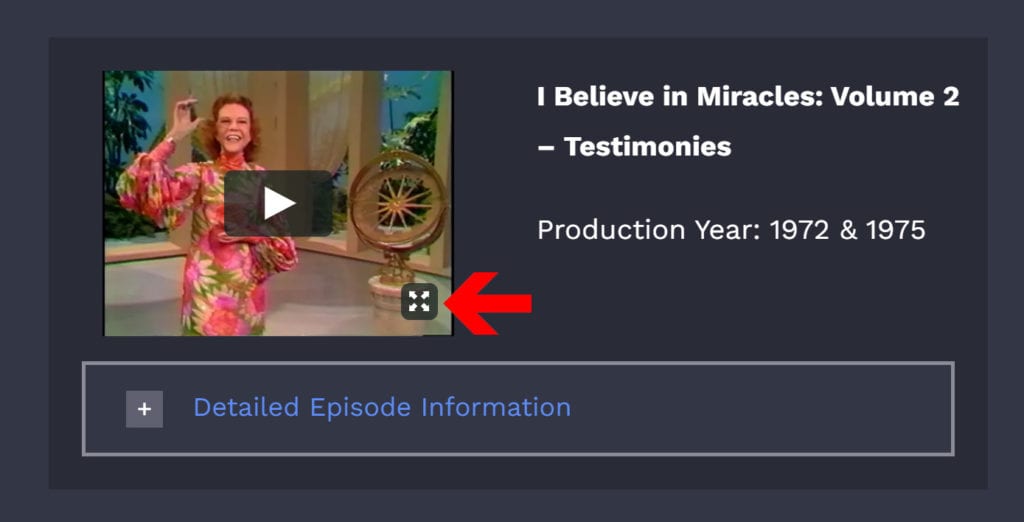
To enlarge the video or to watch in full screen mode, click the icon in the bottom right corner of the video. To exit full screen more, click the “ESC” button.
IMPORTANT: Your login information for any other Benny Hinn Ministries’ website will not work on the Benny Hinn Institute. Each site requires separate registration but you are free to use the same login information for each website. This makes it easier to remember this sensitive information.
For the best experience, please use the most current versions of Google Chrome, Safari, Firefox, iOS, or Android. These are the most commonly used browsers. The Benny Hinn Institute does not support Internet Explorer or Microsoft EDGE.
To download the most current version of these software options, click here.
Registering for a Benny Hinn Institute class allows us to better anticipate the number of attendees and ensure that we are able to accommodate everyone to the best of our ability. Seating is handled on a first-come, first-served basis. Although it is rare for someone who registered to not have a seat, we do ask that you arrive 1 hour before the event.
Shopping online is safe, easy and secure. Independent studies have shown that using a credit card online over a secure server is safer than ordering by phone or fax. Ordering online through our site is safe & secure. Our servers use a technology called SSL (Secure Sockets Layer) to encrypt the data transmitted from you to our servers.
Once your information is on our servers, your information is encrypted and your credit card information is deleted once the transaction has completed successfully. This way your personal information is always safe. By our using a secure server, you can feel safe in knowing that your personal information, including your credit card information, is encrypted and kept out of the hands of today’s savvy Internet criminals.
There are so many hidden treasures to still be digitized and shared. If you have one or more of these treasures, please send an email to BHI@BennyHinn.org. Please include: “Content for BHI” in the subject line. The information you provide could bless and enrich the spiritual lives of so many believers!
The majority of the eBooks, notes, videos, audio files and courses are in English however, we do have a few selections in Spanish and we will be adding additional multi-lingual content as our library grows. Also, remember that your browser will allow you to translate web pages into your local language.
We are digitizing and uploading new content daily. To see what’s new just login and and view the announcements on the homepage where newly added content is listed for your convenience.
Both subscriptions include full access to our ever-expanding library and discover the untold heritage of the Pentecostal and Charismatic movements.
Our $25 All-Access subscription will unlock live teachings with Pastor Benny and further helps us take the Gospel to the world and digitize even more content for you.
For more information view our subscription page. https://www.bennyhinninstitute.org/subscribe
If your subscription lapses, you’ll lose access to the Benny Hinn Institute. Upon renewal all subscription settings are reinstated.
No, you can’t put subscription on hold.
Your subscription is non-refundable. If you cancel before your monthly subscription renewal date, you will not receive a pro-rated refund for the unused days. You will not be charged for the upcoming month.
Your subscription begins immediately after your payment details are accepted.
No. Your subscription is month-to-month and you may cancel anytime. However, you will not receive a refund for days unused.
For example: If your card is billed on the 1st of the month and you cancel on the 10th, you will not be issued a refund for the remaining days in that month.
Yes, you can manage all of your account and payment details in the “my account” section. Your account access gives you access to your billing and shipping addresses, order history and other account details.
You may cancel anytime by logging into your account and managing your subscription. When you click “Cancel Subscription”, your subscription will not longer be active and you will not be charged again. You may renew your subscription anytime.
When you subscribe to the Benny Hinn Institute your credit/debit card will be charged at the time you join and then automatically charged each month from the date your subscription began and each month thereafter until you cancel.
For example: If you joined on April 1, your subscription will renew on May 1 and the first of each month thereafter, until you cancel.
There are many ways and reasons for you to support the mission of the Benny Hinn Institute. Your monthly or annual membership, product purchases and donations help us build one of the most comprehensive collections of rare teaching and materials from God’s anointed generals.
Your donations go directly to Benny Hinn Ministries and are tax-deductible. Check your local laws to ensure compliance.
Go to https://www.bennyhinn.org/donate/bhi-donation to donate now.
Together, we are doing amazing things for Christ!
We need your help to continue to organize and digitize the vast amount of resources as we preserve yesterday’s treasures for generations to come. Your gift reaches beyond the spread of the Gospel today but also by touching lives through educating, equipping, and empowering believers tomorrow.